Client reporting for marketing agencies.
MetricPilot reads your clients' Google Ads, Meta Ads and GA4 reporting data and turns it into a branded report you can share in one click. You authorise each account yourself, access is read-only, and you can disconnect at any time.
- Read-only access
- Official Google and Meta sign-in
- Tokens encrypted server-side
- Disconnect any time
MetricPilot cannot create, edit, pause or delete campaigns. Read the Security page for the exact scopes we request.
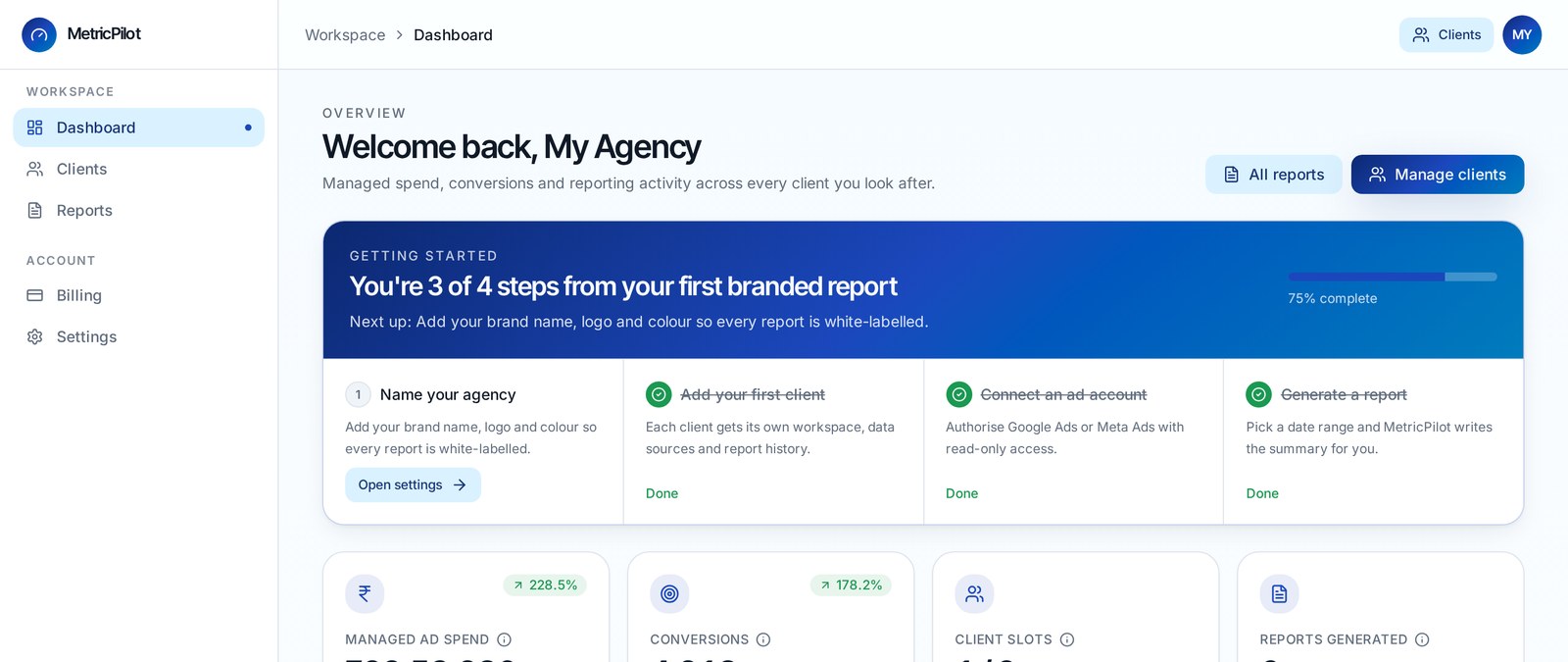
A live MetricPilot workspace. Figures shown are from a demo agency.
How MetricPilot works
Connect your accounts
Authorise Google Ads, Meta Ads and GA4 once per client on each platform's own sign-in screen. Read-only access that you can revoke at any time.
Generate the report
Pick a date range. MetricPilot reads the metrics, compares them with the previous period and writes a plain-English summary.
Share it with your client
Send the branded report as a link on WhatsApp or email, or save it as a PDF. Mark it delivered to keep track.
What goes into every report
Meta Ads
Read-only reporting: reach, impressions, CTR, CPC, CPM, frequency, spend, conversions and ROAS across the Facebook and Instagram ad accounts you authorise.
Google Ads
Read-only reporting: cost, CPC, conversions and conversion value across the accounts you authorise.
Google Analytics 4
Sessions, users, engagement rate and goal completions alongside your paid results.
Written summary
Each report opens with a short summary of what changed against the previous period.
Branded reports
Your agency name, logo and accent colour on every report. MetricPilot branding is removed on paid plans.
WhatsApp and email sharing
Share a report link in one click, or print it to PDF from your browser.
Pricing built for Indian agencies
All prices in INR. The Free plan is available immediately. Online checkout for paid plans is not live yet — our team activates them on request.
Free
Try it on two clients, no card needed.
- 2 clients
- Meta Ads + Google Ads + GA4
- Branded PDF reports
- MetricPilot footer badge
Starter
For growing boutique agencies.
- 10 clients
- AI executive summary
- Full white-label reports
- WhatsApp delivery
- Email support
Agency Pro
For agencies running serious volume.
- 50 clients
- Scheduled monthly reports
- Custom report templates
- GST invoicing
- Priority support
How MetricPilot handles your data
MetricPilot requests the minimum access needed to build your reports, and nothing more. Here is exactly what that means.
Read-only by design
MetricPilot only reads reporting metrics on Google and Meta. It cannot create, edit, pause or delete campaigns, ad sets, ads, keywords, bids, budgets, audiences or creatives.
One Google scope
We request only https://www.googleapis.com/auth/adwords — the scope the Google Ads API needs for reporting. Nothing else.
One Meta permission
We request only ads_read — the minimum the Meta Marketing API needs to list your ad accounts and read their insights. No ads_management, no Pages, no Instagram publishing.
Encrypted tokens
Google and Meta OAuth tokens are encrypted with AES-256-GCM, stored server-side and never sent to your browser. All API calls run on our servers.
Disconnect any time
Disconnecting deletes the stored tokens immediately. You can also revoke access from your Google Account settings or Facebook business integrations.
Read the full detail on our Security, Privacy and Data Deletion pages.